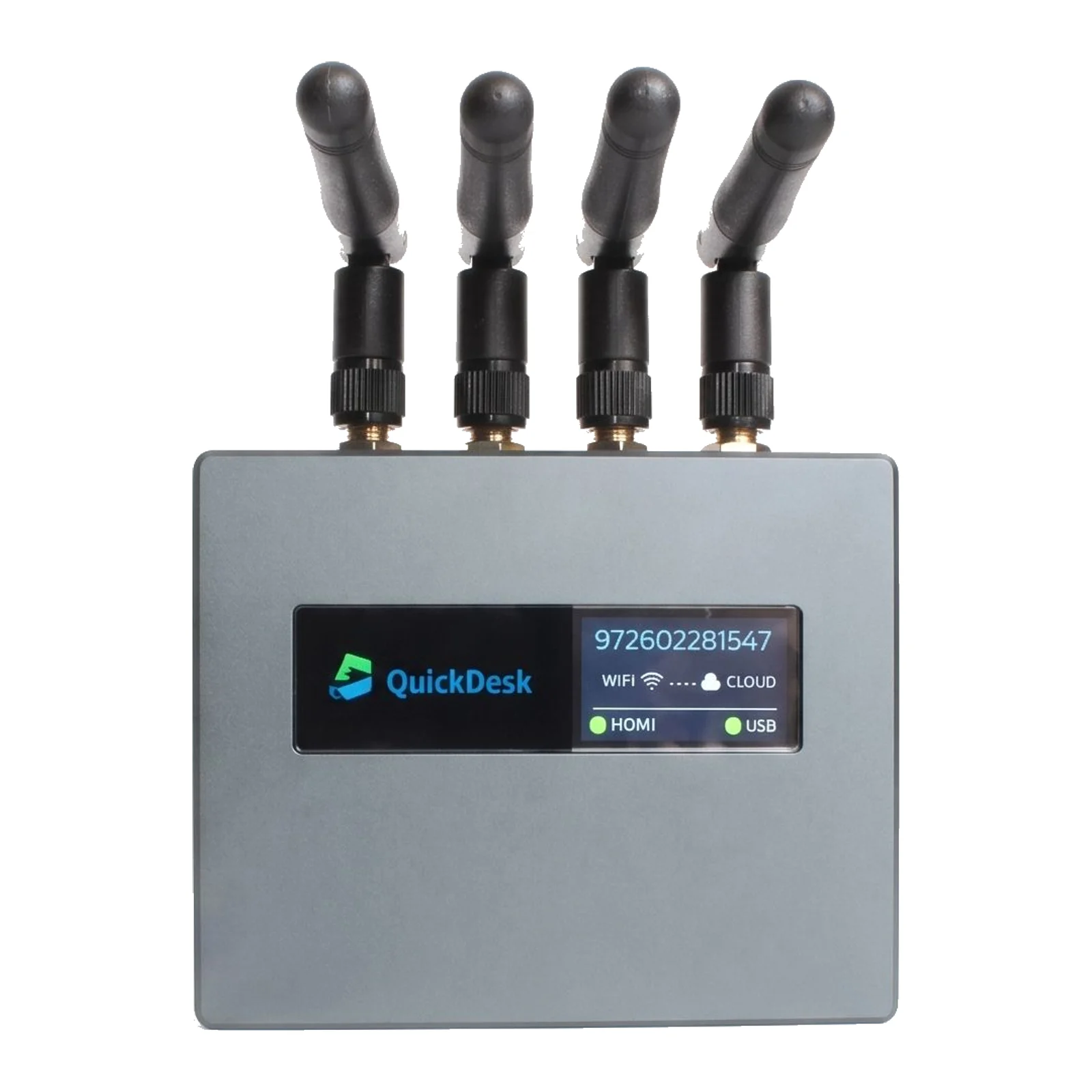
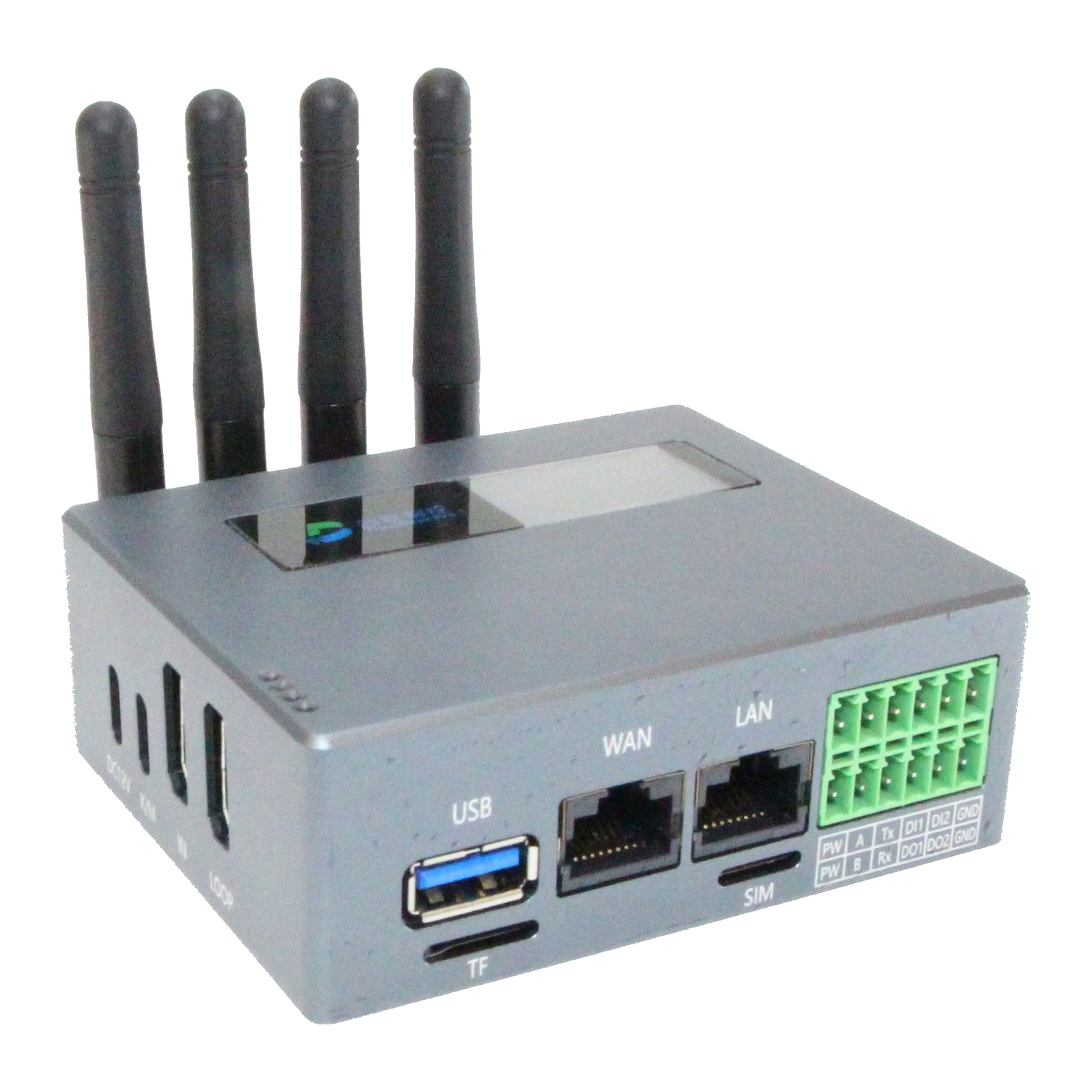
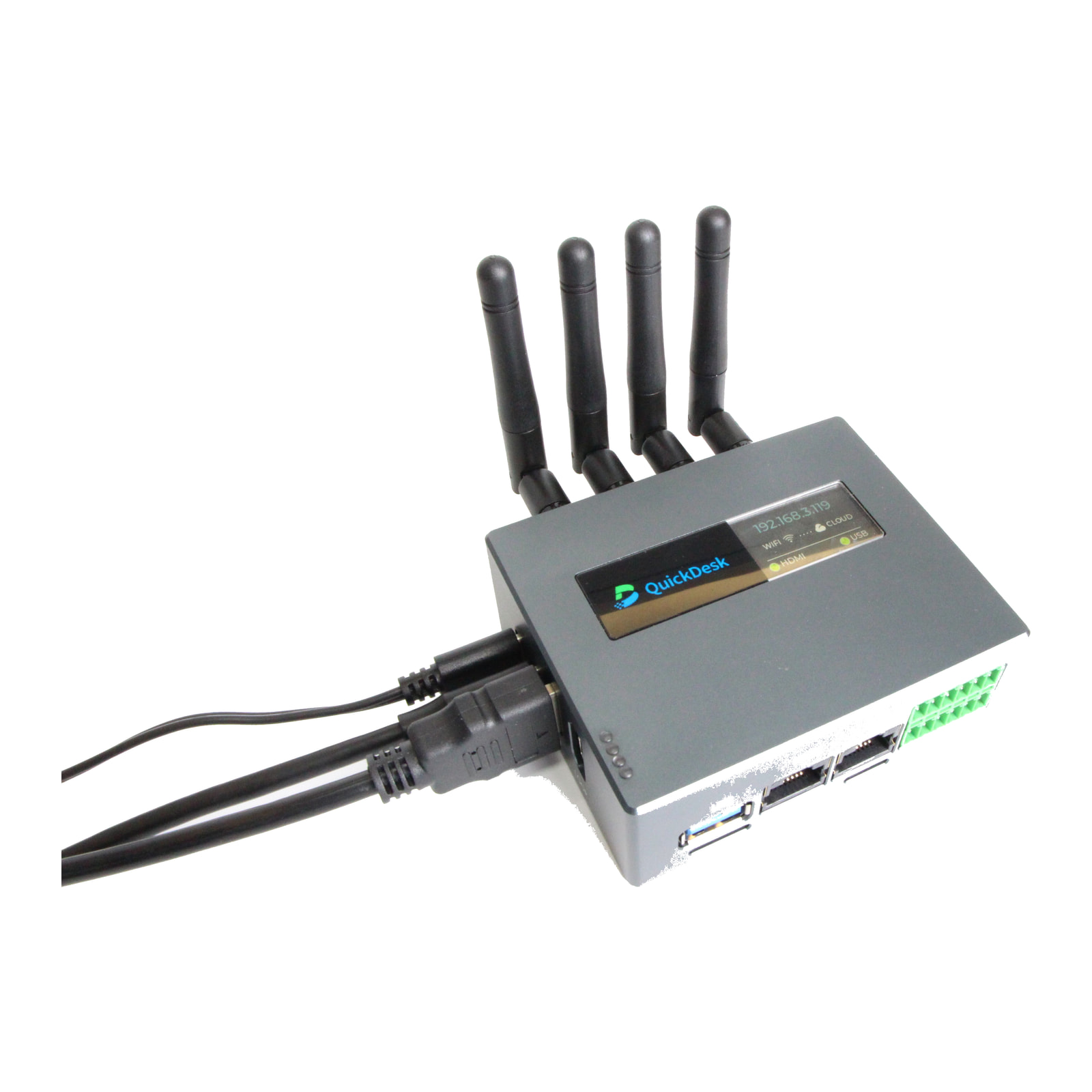
What is QuickDesk Pro?
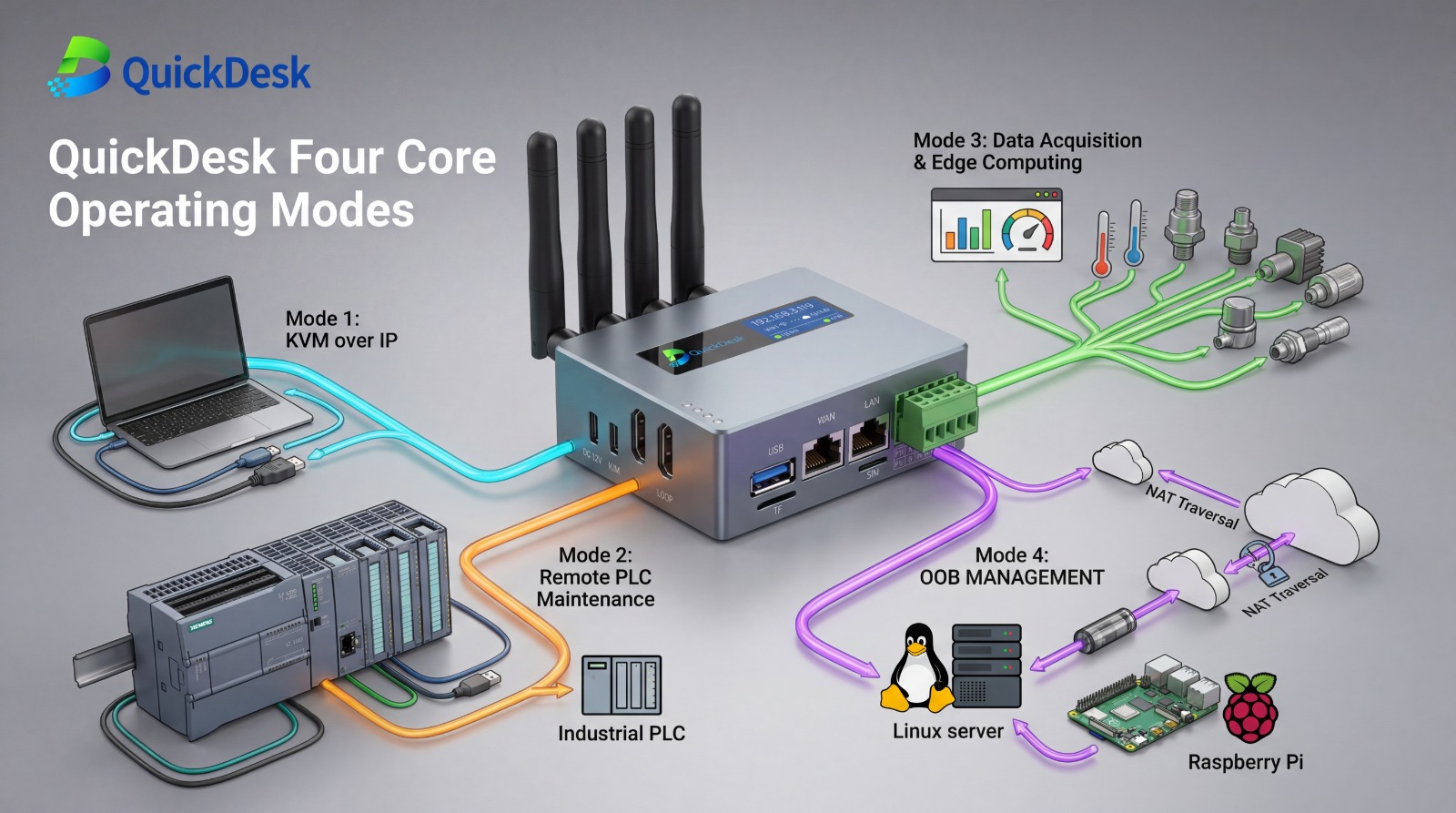
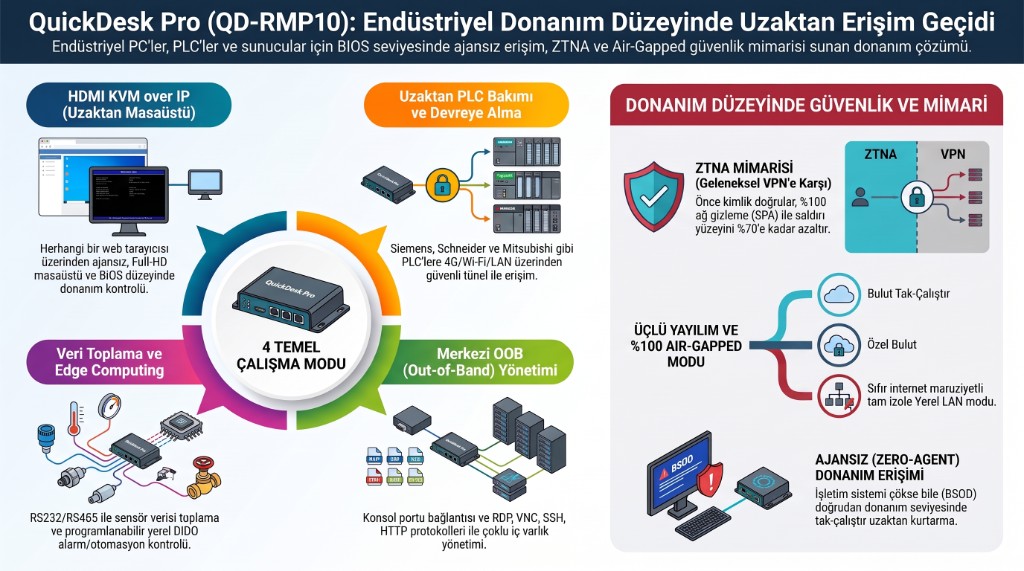
QuickDesk Pro (model QD-RMP10) is an industrial hardware KVM-over-IP device (KVM: keyboard, video, mouse) that carries a compatible computer's HDMI video output and USB keyboard/mouse input over an IP network. It gives remote screen, keyboard and mouse access to engineering, SCADA and HMI PCs independently of the operating system, including the BIOS/UEFI screen. No software is installed on the target PC; access is through a web browser. By mounting an ISO image on the virtual USB drive you can reinstall Windows or Linux remotely and send files to or receive files from the target PC. In addition, a PLC connected to the device's LAN port can be programmed and monitored directly from a remote location.
Can Windows be installed remotely with QuickDesk Pro?
Yes. Besides acting as a keyboard and mouse over USB, QuickDesk Pro presents itself to the target PC as a virtual USB drive. The ISO image of Windows, Linux or a recovery environment is uploaded to the device or fetched by the device from a download link; the image is then mounted as virtual media from the web panel and appears on the target PC like a plugged-in USB installation stick. From the KVM screen the engineer enters the BIOS/UEFI, sets the boot order to that drive and completes the installation remotely from start to finish. A SCADA/HMI or engineering PC whose disk has been wiped, that no longer boots or that needs re-imaging can therefore be rebuilt without a site visit. Conditions: the PC must power on and output video over HDMI; installation time depends on the image size and the connection speed on site; the operating system licence, drivers and application installs are your organisation's responsibility. The same virtual drive is also used for two-way transfer of patches, drivers, backups and log files while the operating system is running.
When is QuickDesk Pro useful?
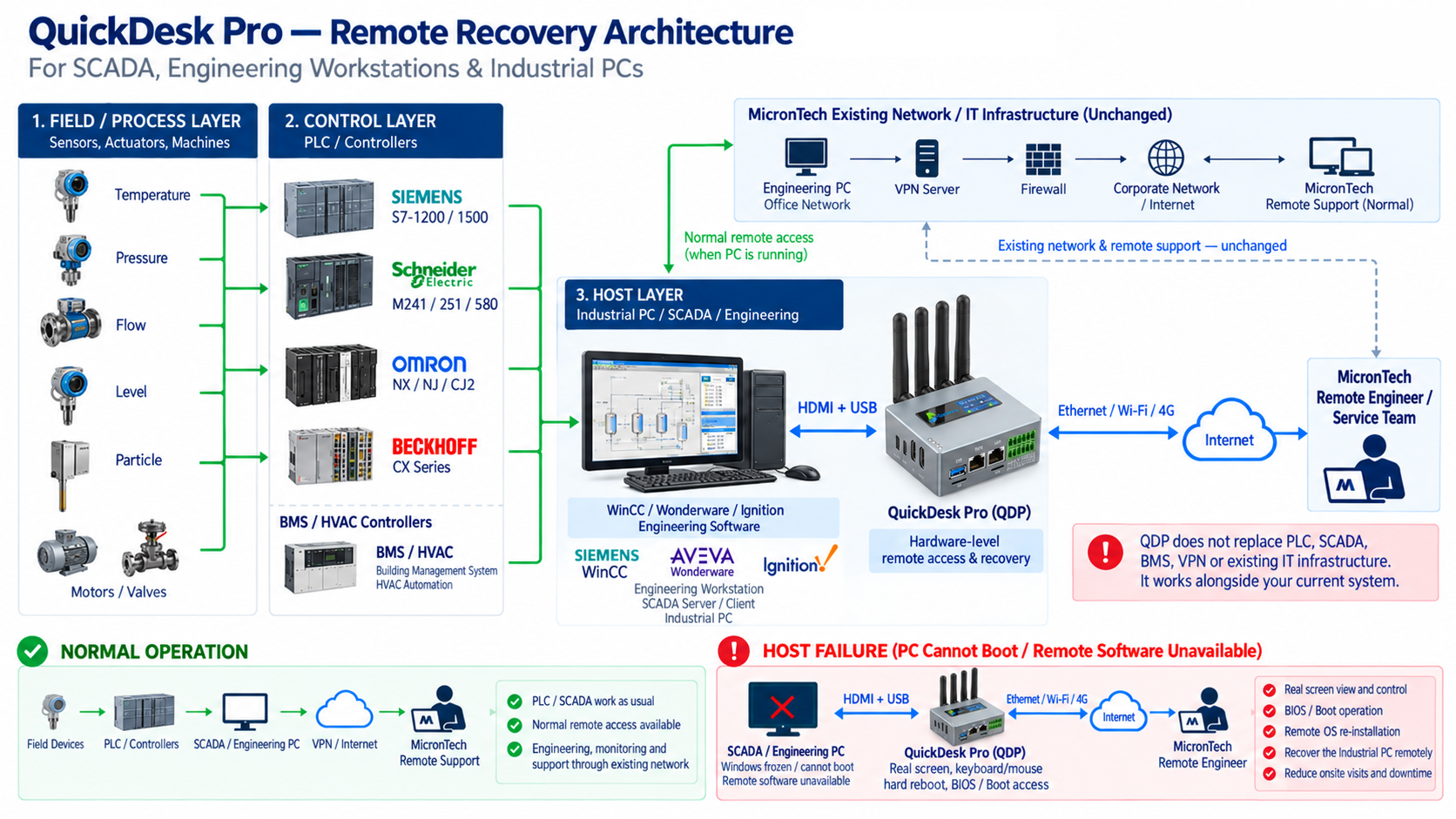
When software-based remote access does not work: the operating system does not start, a blue screen, a system stuck in BIOS, a boot failure after a faulty update, or a freeze. As long as the computer powers on and outputs video over HDMI, you can see the screen and enter the BIOS/UEFI and recovery menus. A frozen computer can be restarted remotely if GPIO wiring to its power/reset line is in place; a computer that is off can be powered on remotely if it supports Wake-on-LAN. Hardware faults such as a failed power supply, motherboard or graphics card require on-site work. Gaining access does not mean the fault will necessarily be fixed; the device does not fix faults by itself, and an authorised engineer carries out the intervention.
Does QuickDesk Pro connect directly to the PLC?
Yes, it can work in two ways. In remote PLC maintenance, the PLC is connected with an Ethernet cable to the QuickDesk Pro's LAN port; the remote engineer accesses the supported PLC with the programming software on their own computer (for example STEP 7-MicroWIN SMART or TIA Portal) as if on site. This requires the PLC and the device's LAN port to be on the same subnet, the PLC to be added to the device in the PLC management client, and the programming software and its licence to be on the remote engineer's computer. PLCs from Siemens, Schneider Electric, Mitsubishi, Omron, Beckhoff, Keyence, LS Electric, Panasonic and Inovance are supported. In KVM use, the device connects over HDMI and USB to the engineering PC that programs the PLC or to a SCADA/HMI computer; the existing connection between the PLC and the PC is kept, and the programming software and its licence stay on the on-site computer. Compatibility and the required network settings are assessed before installation.
How is it different from TeamViewer, AnyDesk or RDP?
These tools require the target PC to be on and its operating system to be running. QuickDesk Pro captures the picture from the HDMI signal, so it is independent of the operating system; as long as the computer outputs video, it gives access on the boot screen, in BIOS or after Windows has crashed. You can keep using your existing tools for everyday remote work; QuickDesk Pro is an additional access path for situations in which they do not work.
How does it work with our existing VPN and firewall policies?
The device provides hardware-level Zero Trust access (ZTNA: authentication before connection) and NAT traversal. In many installations this can reduce the need for port forwarding and traditional VPN tunnels. QuickDesk Pro can be used alongside your existing VPN and firewall infrastructure. The required connections, access permissions, network segmentation and the choice between a cloud and an on-premise server are assessed with your IT team before installation. To provide access when the corporate VPN is down, the device needs a usable network connection (Ethernet, Wi-Fi or 4G) and a proper access configuration.
How is remote access secured?
It uses the Zero Trust (ZTNA) approach based on "authenticate first, then connect"; access is granted only to authorised users and traffic is encrypted end to end. The management server can optionally be installed on-premise, in which case traffic passes through a server under your control. Where data is stored and regulatory compliance still depend on how the installation is configured and on your organisation's policies. QuickDesk Pro is not a cybersecurity product on its own.
Can it be used at a remote site with no corporate network?
Yes. In addition to Ethernet and Wi-Fi it supports 4G LTE. At pumping stations, substations or unmanned sites with mobile coverage, an access path independent of the corporate network can be set up. Connection quality depends on local network conditions; suitability is assessed together during the site survey.
What is needed for installation?
In KVM use: the target PC's HDMI output, one USB port and a power supply for the device; on the network side, one of Ethernet, Wi-Fi or 4G. No software is installed on the target PC. Remote power-on is only possible if the computer supports Wake-on-LAN and it is enabled in the BIOS and network card; restarting via GPIO requires suitable wiring to the computer's power/reset connection; suitability is checked during the site survey. In remote PLC maintenance, the PLC's Ethernet port is connected to the device's LAN port and the PLC and the LAN port must be on the same subnet; compatibility and the required network settings are assessed before installation. Network and access permissions are planned with your IT team; initial installation and settings are carried out by the MicronTech engineering team.
What is QuickDesk Pro not designed for?
It is not designed for everyday office screen sharing, presentations, video conferencing, high-frame-rate video or gaming. It should not be positioned as a general-purpose IoT gateway or data acquisition platform. It does not replace your PLC, SCADA, BMS, VPN or firewall; it works alongside them as a separate access channel.
Why buy QuickDesk Pro from MicronTech?
Besides being the Turkey distributor of QuickDesk Pro, MicronTech is an engineering company working in industrial automation, electronics board repair and enterprise networking. Before installation it reviews the role of the computer or PLC the device will connect to, the plant network and your IT security requirements, and acts as a single point of contact for the site survey, installation, initial settings and after-sales support.
Who sells and supports QuickDesk Pro in Turkey?
The Turkey distributor is
MicronTech Elektronik Otomasyon ve Bilişim Teknolojileri. Sales, installation, initial configuration and after-sales technical support are provided by the MicronTech engineering team. Phone: +90 850 346 99 17, or use the
contact form.